


The 17 best laptop cleaning brands
Screen Mom, Endust and OXO lead our ranking of 17 laptop cleaning brands. Compare what each brand makes, visit its official site, or shop it online.
Laptop Cleaning brands, ranked
TSCentral is reader-supported: we may earn a commission when you shop through links on this page. It does not affect the ranking.
-
1
Screen Mom
Screen-specific kits with microfiber cloths and sprays, sized for laptop, phone and tablet displays.
Website: screencleanmom.com |Brands like Screen Mom
Popularity 10.0/10
-
2
Endust
Dusting sprays and wipes for keyboards and displays, plus protective solutions for household electronics.
Website: endustforelectronics.com |Brands like Endust
Popularity 9.9/10
-
3

OXO
Oxo makes everyday objects in use and activities simple with their designed precision products. Whether it is cooking, cleaning, organizing, or custom stuff for your toddlers, the brand considers every aspect of your need. Culinary experts and professionals in their field have written blogs that come in as self-help guides in completing daily tasks and chores. The exclusive 5-piece barware set is most suitable for your home bar, and the 6-piece POP container set keeps your staples fresh!
Website: oxo.com |Brands like OXO
Popularity 5.5/10
-
4

K&F Concept
Multi-tool cleaning kits bundling brushes, lens pens and cloths, a budget option for many gadgets.
Top products: 20-in-1 Cleaning Kit
Popularity 4.6/10
-
5

General
General Tools has been the leader in designing and developing tools specializing in precision for over a century. It highly values innovation and satisfactory customer service and ensures that customers do not get anything less than they want. It boasts an inventory of over a thousand tools and skilled artisans worldwide brimming with creativity. Its tools can also be found in multiple mass retails and specialty stores.
Popularity 3.3/10
-
6

Altura Photo
Camera-focused cleaning kits with lens and sensor tools, aimed mainly at photographers rather than laptop users.
Popularity 2.8/10
-
7

Belkin
Belkin builds charging, networking and connectivity accessories for phones, computers and home offices. Its catalogue includes wireless chargers, KVM switches for sharing a keyboard and mouse between computers, Wi-Fi routers and fiber cables. The company is based in Southern California and sells in many countries worldwide.
Website: belkin.com |Brands like Belkin
Popularity 2.3/10
-
8
Am
The American Roller Bearing Company has been an asset in the construction industry for years providing tools and machinery that has proven to make their tasks comparatively less burdensome. Their experienced engineers create solutions to all the requirements of their customers while giving a good warranty. The company proffers services like training, bearing repairing, and more! All you need to do is visit their website and get the necessary information. You can also customize your bearings online!
Website: amroll.com |Brands like Am
Popularity 2.3/10
-
9

Digital Innovations
Cleaning kits for screens and keyboards from a brand that also sells electronics repair tools.
Website: digitalinnovations.com |Brands like Digital Innovations
Popularity 2.3/10
-
10

camkix
Taking the perfect shot is very important. Expertise is required along with a good camera, but you also need to take care of the camera. Camkix is a company that sells cleaning kits and accessories for your precious cameras. They...
Website: camkix.com |Brands like camkix
Popularity 1.6/10
-
11

Innovera
Innovera produces ink cartridges, mouse pads, wrist rests and calculators for office and home use. The brand offers computer accessories and office supplies at everyday prices. Its products are meant for people who need dependable replacements and basic desk equipment.
Website: myinnovera.com |Brands like Innovera
Popularity 1.6/10
-
12

Apple
Stephen Wozniak had a dream of building his computer. In 1976, Wozniak partnered with his former high-school classmate, Steve Jobs, and began operations at Jobs’ family garage. Their first model was a lone working circuit board, which they worked into...
Website: support.apple.com |Brands like Apple
Popularity 1.6/10
-
13

Dell
Michael Dell founded PC’s Limited in 1984 with the intent of providing customized upgrades for computers. The initiative was successful, and Dell dropped out of college to start building computers. Soon, he started selling his designs, which were met with...
Website: dell.com |Brands like Dell
Popularity 1.6/10
-
14

3M
The five founders of 3M had a straightforward goal: mining corundum, a mineral used for making sandpapers and grinding wheels of premium quality. However, they assumed corundum was anorthosite, a common low-grade mineral. However, this did not deter the founders....
Website: 3m.com |Brands like 3M
Popularity 1.6/10
-
15
Clorox
Pine-Sol cleaners and disinfecting wipes are among the brand's most familiar products. Clorox also sells bleach, laundry supplies, and spa chlorine for pools and hot tubs. Its kitchen and bathroom cleaners are aimed at everyday household cleaning jobs. The company's...
Website: clorox.com |Brands like Clorox
Popularity 1.6/10
-
16

Allsop
Allsop Inc. is acknowledged as the emblem of consumer electronics. It was founded in 1964 by launching a pair of innovative ski boots. Allsop Inc. was the leading producer of consumer products with their evolutionary change in uncooperative Ski-boots. It...
Website: allsop.com |Brands like Allsop
Popularity 1.6/10
-
17
LensPen
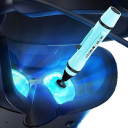
LensPen produces compact cleaning pens and lens cleaners that use a carbon compound to clean cameras, smartphones, tablets, laptops and binoculars. The Vancouver brand designs its products with close attention to each stage of production. Bundles are sold at affordable...
Website: lenspen.com |Brands like LensPen
Popularity 1.6/10
Official websites and social accounts
| Brand | Website | X / Twitter | YouTube | ||
|---|---|---|---|---|---|
| Screen Mom | screencleanmom.com | – | – | – | – |
| Endust | endustforelectronics.com | /Endust-for-Electronics-673067296218415 | endustforelectronics | @Endust_tech | – |
| OXO | oxo.com | /OXO | oxo | @OXO | – |
| Belkin | belkin.com | /BelkinProductsIndia | belkinindia | @belkin_india | belkin |
| Am | amroll.com | – | – | – | – |
| Digital Innovations | digitalinnovations.com | /AllsopInc | – | – | DigitalInnovate |
| camkix | camkix.com | /camkix | camkix | @camkixofficial | camkixvideo |
Laptop Cleaning Buying Guide
With so much of our lives revolving around technology, it’s no wonder that laptops have become an important part of our daily routines. And just like any other device, laptops need to be routinely cleaned and maintained to ensure optimal performance and longevity. However, with so many cleaning options available, choosing the right cleaning supplies can be overwhelming. In this buying guide, we will explore the essential cleaning tools needed to keep your laptop sparkling clean.
Cleaning Solution
The first step to cleaning your laptop is selecting the right cleaning solution. It is recommended that you never use water or household cleaners as these can damage your laptop’s delicate parts. Instead, invest in a specialized cleaning solution specifically designed for electronic devices.
One popular option is the iCloth Large-Screen Cleaner. This pre-moistened cleaning wipe is individually packaged and safe for use on all electronic devices. It is also anti-bacterial and anti-static, ensuring your laptop stays clean and dust-free for longer periods.
Another option is the WHOOSH! Screen Cleaner Kit. This eco-friendly solution is free of alcohol, ammonia, and harmful chemicals, making it safe for use on all screens, including touchscreens. The kit comes with a microfiber cleaning cloth, making it convenient for on-the-go cleaning.
Cleaning Tools
While cleaning solutions are essential, they are only half of the equation. You also need the right tools to get the job done properly. Here are some essential cleaning tools:
Microfibre Cloth
A microfibre cloth is a must-have for any laptop cleaning kit. They are gentle and effective at removing dirt, dust, and smudges from your laptop screen and keyboard. A high-quality microfiber cloth will not scratch or damage the surface of your laptop.
The AmazonBasics Microfiber Cleaning Cloth is an excellent choice. These cloths come in a pack of 24 and are reusable and machine washable. They are also soft and absorbent, ensuring a thorough cleaning of your laptop screen and keyboard.
Cleaning Brush
A cleaning brush is another essential tool for removing dirt and debris from your laptop keyboard. A cleaning brush should have soft and flexible bristles to prevent damage to your keyboard.
The OXO Good Grips Keyboard and Screen Cleaning Kit is an excellent choice. The kit comes with a cleaning brush with soft bristles to remove dirt and dust from your keyboard. The kit also has a microfiber cloth for easy cleaning of your laptop screen.
Canned Air
Canned air is a powerful tool for cleaning your laptop. It is an excellent way to remove dust and debris from your laptop’s crevices and vents. However, canned air should be used with caution as it can damage your laptop if not used properly.
The Falcon Dust-Off Compressed Gas Duster is a popular choice for laptop cleaning. It is an ozone-safe canned air that is powerful enough to remove dust and debris from your laptop’s vents and crevices without causing damage.
Cleaning Technique
Now that you have the right cleaning tools and solutions let’s go over the proper technique to clean your laptop:
- Turn off and unplug your laptop.
- Use a microfiber cloth to gently wipe down the screen and keyboard.
- If the keyboard is dirty, use a cleaning brush to remove any dust or debris.
- If needed, use a cleaning solution with your microfiber cloth to remove any stubborn smudges or fingerprints.
- For deeper cleaning, use canned air to clean out your laptop’s vents and crevices.
- Finally, wipe down your laptop with a clean microfiber cloth.
Tips for Maintaining a Clean Laptop
Keeping your laptop clean not only ensures optimal performance but also extends its lifespan. Here are some additional tips for maintaining a clean laptop:
Avoid Eating and Drinking Near Your Laptop
Food and drinks can easily spill on your laptop, causing damage and attracting dirt and debris. Avoid eating or drinking near your laptop to prevent spills and stains.
Store Your Laptop in a Clean Environment
Keep your laptop in a clean and dust-free environment. Avoid placing it on the floor or in a cluttered area where dust and debris can easily accumulate.
Use a Protective Cover
Covering your laptop with a protective cover can prevent dust and debris from accumulating on the keyboard and screen. It can also protect your laptop from scratches and spills.
Clean Your Laptop Regularly
Regular cleaning is essential to maintaining a clean laptop. Make sure to clean your laptop at least once a week to prevent the buildup of dirt and debris.
Conclusion
In conclusion, investing in the right cleaning tools and solutions can make all the difference in maintaining a clean and healthy laptop. Remember to use a specialized cleaning solution, quality microfiber cloths, a cleaning brush, and canned air for a deep clean. Practice proper cleaning techniques and follow our tips for maintaining a clean laptop, and your laptop will thank you with optimal performance and longevity.


