

The 30 best pc fan brands
Delta, SANYO DENKI and ADDA lead our ranking of 30 pc fan brands. Compare what each brand makes, visit its official site, or shop it online.
Pc Fan brands, ranked
TSCentral is reader-supported: we may earn a commission when you shop through links on this page. It does not affect the ranking.
-
1

Delta
Delta Electronics makes PC case and CPU cooling fans in many sizes, sold to system builders and retail buyers.
Website: djdelta.it |Brands like Delta
Popularity 10.0/10
-
2

SANYO DENKI
SANYO DENKI makes San Ace server and PC cooling fans, known for long-life DC fan designs.
Website: sanyodenki.com |Brands like SANYO DENKI
Popularity 7.9/10
-
3
ADDA
ADDA makes compact axial and DC cooling fans for computers, servers, and other electronics.
Website: adda.com.tw |Brands like ADDA
Popularity 7.8/10
-
4

Arctic
Arctic makes budget and mid-range PC case and CPU cooling fans, plus CPU coolers.
Website: arctic.de |Brands like Arctic
Popularity 7.8/10
-
5

SUNON
SUNON makes axial and blower cooling fans used in computers, power supplies, and electronics.
Website: sunonusa.com |Brands like SUNON
Popularity 6.0/10
-
6

Vetroo
Gaming appliances are synonymous with the brand Vetroo. Vetroo has come a long way to impact the gaming industry positively. They are the ultimate solution for all game lovers. Playing games has become easy with their products like motherboard, power supply, and gaming case. From Gaming Case to CPU Cooler, Cooling Fan to sccesories, you can find every essential needed to run a game efficiently and safely!
Website: vetroo.com |Brands like Vetroo
Popularity 5.4/10
-
7

AVC
AVC (Asia Vital Components) makes cooling fans and heatsinks, often supplied to PC and server makers.
Website: avc.co |Brands like AVC
Popularity 5.2/10
-
8

Autolizer
Based in the United States, Autolizer specializes in different types of equipment for automobiles. Their website has a unique feature that lets visitors search parts for their vehicles based on the year, make, and model. They are the leading providers of branded automotive lighting solutions in the US. They have various products that range from power adaptors to helmet lights and speakers that enhance your journey every time you hit the road.
Website: autolizer.com |Brands like Autolizer
Popularity 5.2/10
-
9

Antec
Antec makes PC cases, power supplies, and case cooling fans sold to PC builders.
Website: support.antecmobileproducts.com |Brands like Antec
Popularity 4.5/10
-
10

Nidec
Nidec makes brushless DC fans and motors for computers, servers, and industrial equipment.
Website: nidec.com |Brands like Nidec
Popularity 4.2/10
-
11

Noctua
Noctua makes premium quiet PC fans and CPU air coolers, known for its brown and beige designs.
Website: noctua.at |Brands like Noctua
Popularity 3.2/10
-
12

Thermaltake
Thermaltake makes PC cases, CPU coolers, and case fans, including RGB fan kits.
Website: thermaltakeusa.com |Brands like Thermaltake
Popularity 2.8/10
-
13

GELID Solutions
GELID Solutions makes PC case fans and CPU coolers, often with quiet, low-noise designs.
Website: gelidsolutions.com |Brands like GELID Solutions
Popularity 2.5/10
-
14

Akasa
Akasa makes PC case fans, CPU coolers, and fan controllers, often sold to builders and upgraders.
Website: akasa.com.tw |Brands like Akasa
Popularity 2.3/10
-
15

Enermax
Enermax makes PC power supplies, cases, and cooling products, including case fans and CPU coolers.
Website: enermax.com |Brands like Enermax
Popularity 2.3/10
-
16

Corsair
Corsair makes PC cases, power supplies, and cooling products, including RGB case fan kits and AIO liquid coolers.
Website: corsair.com |Brands like Corsair
Popularity 2.1/10
-
17

Deepcool
Deepcool makes PC cases, CPU coolers, and case fans, many sold at budget and mid price levels.
Website: deepcool.com |Brands like Deepcool
Popularity 2.1/10
-
18

NZXT
NZXT makes PC cases, cooling products, and RGB case fan kits, often sold in matched system builds.
Website: nzxt.com |Brands like NZXT
Popularity 1.9/10
-
19
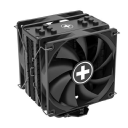
Xilence
Xilence makes PC case fans, CPU coolers, power supplies, and cases sold to PC builders.
Website: xilence.net |Brands like Xilence
Popularity 1.8/10
-
20

Cooler Master
Cooler Master makes PC cases, CPU coolers, liquid coolers, and case fans, including RGB models.
Website: coolermaster.com |Brands like Cooler Master
Popularity 1.7/10
-
21

AeroCool
AeroCool makes PC cases, case fans, and CPU coolers, often with RGB lighting.
Website: aerocool.io |Brands like AeroCool
Popularity 1.7/10
-
22

Lian Li
Lian Li makes aluminum PC cases, fan kits, and cooling accessories for enthusiast builds.
Website: lian-li.com |Brands like Lian Li
Popularity 1.6/10
-
23

Nanoxia
Nanoxia makes PC cases and case fans, with fan models sold for quiet cooling setups.
Website: nanoxiausa.com |Brands like Nanoxia
Popularity 1.6/10
-
24

Rosewill
Rosewill sells PC cases, power supplies, and case cooling fans at budget price points.
Website: rosewillhome.com |Brands like Rosewill
Popularity 1.5/10
-
25

be quiet!
be quiet! makes low-noise PC case fans, CPU coolers, power supplies, and cases.
Website: bequiet.com |Brands like be quiet!
Popularity 1.5/10
-
26

Fractal Design
Fractal Design makes PC cases and case fans with a focus on quiet, minimalist designs.
Website: fractal-design.com |Brands like Fractal Design
Popularity 1.4/10
-
27

Zalman
Zalman makes CPU coolers, case fans, and PC cases for computer builders.
Website: zalman.com |Brands like Zalman
Popularity 1.4/10
-
28

Gembird
The world's leading maker of computer hardware and accessories is Gembird. Their gaming, audio, and video equipment are geared to make your digital life more enjoyable. They offer top-quality office products at reasonable pricing for business uses. Their product is...
Website: gembird.com |Brands like Gembird
Popularity 1.4/10
-
29

Cougar
Cougar makes gaming PC cases, case fans, and cooling accessories for PC builders.
Website: cougargaming.com |Brands like Cougar
Popularity 1.3/10
-
30

Insignia
Insignia manufactures a range of electronic products, including TVs and headphones. They also carry other items like home theatre systems and gaming accessories. The brand's products are made using the latest technology and have simple and sleek designs. They are...
Website: insigniaproducts.com |Brands like Insignia
Popularity 1.3/10
Official websites and social accounts
| Brand | Website | X / Twitter | YouTube | ||
|---|---|---|---|---|---|
| Delta | djdelta.it | /DJDELTA.OFFICIALSHAKALAB | djdeltaone | @djdeltaone | DJ Delta |
| SANYO DENKI | sanyodenki.com | – | – | – | – |
| ADDA | adda.com.tw | /adda.fansbook | – | – | – |
| Arctic | arctic.de | /ARCTIC.en | arctic.de | @ARCTIChannel | UCpwGJu5e3Oj-lN8J-wJS-g |
| SUNON | sunonusa.com | /sunonusa | – | – | SUNON USA |
| Vetroo | vetroo.com | /VetrooUS | vetroo.inc | – | Vetroo |
| AVC | avc.co | – | – | – | – |
| Autolizer | autolizer.com | /Autolizer | autolizer_inc | – | featured |
| Antec | support.antecmobileproducts.com | /AntecInc | – | @AntecInc | watchAntecTV |
| Nidec | nidec.com | /Nidec.JP | – | @nidecjp | 日本電産株式会社Nidec |
PC Fans Buying Guide
Introduction
PC fans are an essential component of any desktop computer. They are responsible for keeping the temperature of the computer's internal components within a safe operating range by exhausting hot air out of the tower and bringing in cool air through intake vents. Fans come in different shapes, sizes, and designs, each with its own set of features and performance characteristics. This guide will help you understand what to consider when buying PC fans, so you can choose the best ones for your system.
Types of PC Fans
PC fans come in two main types: axial fans and centrifugal fans. Axial fans are the most common type, and they are designed to move air parallel to the fan's axis. They are generally less expensive and produce less noise than centrifugal fans, but they are less efficient at moving air through restricted areas, such as heatsinks or radiators.
Centrifugal fans, on the other hand, are designed to move air perpendicular to the fan's axis. They are more expensive and noisy than axial fans, but they are more efficient at moving air through restricted areas, making them ideal for cooling systems that require high static pressure.
There are also hybrid fans that combine both axial and centrifugal designs to provide the best of both worlds. Hybrid fans are usually more expensive than either type alone, but they offer higher performance and versatility in cooling applications.
Fan Size
The size of a fan refers to the diameter of its blades, which is measured in millimeters (mm). The most common sizes of PC fans are 80mm, 92mm, 120mm, and 140mm. Other sizes, such as 60mm and 200mm, are less common but still available.
The size of the fan you need will depend on the size of your computer case and the available mounting spots. Most cases come with pre-installed fans, so you should check the specifications of your case to see what size fans it supports. Generally, larger fans are preferred because they can move more air at lower speeds, resulting in less noise.
| Fan Size (mm) | Airflow (CFM) | Noise Level (dBA) |
|---|---|---|
| 80 | 15-30 | 20-30 |
| 92 | 30-40 | 20-30 |
| 120 | 40-80 | 20-40 |
| 140 | 50-100 | 20-40 |
Airflow and Static Pressure
The airflow of a fan refers to the amount of air it can move in a given time, measured in cubic feet per minute (CFM). The higher the CFM, the more air the fan can move, resulting in better cooling performance. However, higher CFM also means higher noise levels and power consumption.
The static pressure of a fan refers to its ability to overcome resistance to airflow, such as when passing through a heatsink or radiator. It is measured in millimeters of water (mmH2O) and indicates how effective a fan is at moving air through restrictive environments. Fans with high static pressure are better suited for cooling systems that require high fin density, such as radiators.
Noise Level
Noise is an important factor to consider when buying PC fans, especially if you want a quiet system. Noise is measured in decibels (dBA), and the lower the dBA rating of a fan, the quieter it is. The noise level of a fan is usually stated in its specifications, and you should aim for a fan with a noise level of 30 dBA or lower if you want a quiet system.
You should also consider the type of bearing used in the fan, as it influences the noise level as well. The most common types of bearings used in PC fans are sleeve bearings, ball bearings, and fluid dynamic bearings (FDB).
-
Sleeve Bearing
Sleeve bearings are the most basic type of bearing and consist of a sleeve made of metal or plastic that rotates around a shaft. They are cheap but have higher noise levels and shorter lifespans than other types of bearings.
-
Ball Bearing
Ball bearings use small metal balls to reduce friction between the shaft and sleeve. They are more expensive than sleeve bearings but have longer lifespans and lower noise levels.
-
Fluid Dynamic Bearing
Fluid dynamic bearings use a layer of oil or liquid to reduce friction between the shaft and sleeve. They are more expensive than other types of bearings but have longer lifespans, lower noise levels, and better heat dissipation.
RGB Lighting
RGB lighting is a popular feature of PC fans that allows them to display different colors and lighting effects. The lighting is usually controlled by a software utility that can synchronize the lighting with other components, such as RGB RAM, motherboards, and graphics cards, to create a cohesive lighting theme.
RGB fans are more expensive than non-RGB fans, but they can add a lot of visual appeal to a system, especially if you have a tempered glass side panel that shows off the internals.
Conclusion
PC fans are essential components of any desktop computer and play a crucial role in keeping the internal components cool and functioning properly. When buying PC fans, you should consider the type of fan, size, airflow and static pressure, noise level, bearing type, and RGB lighting. By understanding these factors, you can choose the best fans for your system that provide optimal cooling performance, low noise levels, and stunning visual appeal.


