
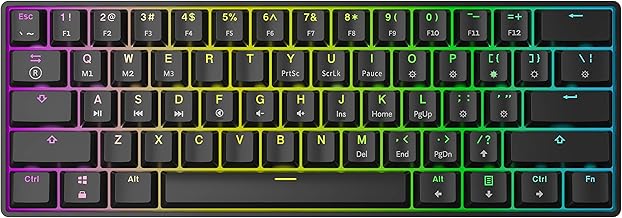

The 28 best keyboard switch brands
Razer, Logitech and Redragon lead our ranking of 28 keyboard switch brands. Compare what each brand makes, visit its official site, or shop it online.
Keyboard Switch brands, ranked
TSCentral is reader-supported: we may earn a commission when you shop through links on this page. It does not affect the ranking.
-
1
Razer
Optical linear switches and the BlackWidow line lead its catalogue, usually with Chroma RGB lighting.
Top products: Analog Optical Gen-2 Linear· BlackWidow V3 Ten-Keyless
Website: razer.com |Brands like Razer
Popularity 10.0/10
-
2

Logitech
Split between wireless MX boards with quiet or clicky switches and the G-series gaming range.
Top products: MX Mechanical· G515 LIGHTSPEED TKL· MX Keys S
Website: logitech.com |Brands like Logitech
Popularity 9.5/10
-
3

Redragon
Budget-friendly full-size and compact gaming boards with a choice of switch types.
Website: redragonzone.com |Brands like Redragon
Popularity 4.8/10
-
4

Royal Kludge
Compact wireless boards with hot-swap or Cherry-style switches at a modest price.
Website: en.rkgaming.com |Brands like Royal Kludge
Popularity 4.8/10
-
5

AULA
Gasket-mount 60% and 75% boards, many with hot-swap sockets and magnetic Hall-effect switches.
Top products: WIN60 HE PRO· F75 Wireless
Website: aulagaming.com |Brands like AULA
Popularity 4.8/10
-
6

SteelSeries
Apex Pro boards with OmniPoint switches let you tune the actuation depth for each key.
Website: steelseries.com |Brands like SteelSeries
Popularity 4.8/10
-
7

Apple
Stephen Wozniak had a dream of building his computer. In 1976, Wozniak partnered with his former high-school classmate, Steve Jobs, and began operations at Jobs’ family garage. Their first model was a lone working circuit board, which they worked into a customized plastic canister. Years later, Wozniak invented the disk controller, which made information storage and retrieval more convenient. This enabled Apple to become the first choice for amateur programmers. The rest is history.
Website: apple.com |Brands like Apple
Popularity 4.6/10
-
8

ASUS
ROG-branded boards with Storm switches, sold alongside motherboards and other PC hardware.
Top products: ROG NX Storm Clicky
Website: asus.com |Brands like ASUS
Popularity 4.5/10
-
9

Cherry Electrical
The switch maker behind MX stems and springs, supplying keyboard brands rather than selling finished boards.
Website: cherry.de |Brands like Cherry Electrical
Popularity 4.0/10
-
10
Ducky
PBT keycap boards with a strong enthusiast following and many colourways and layouts.
Website: duckychannel.com.tw |Brands like Ducky
Popularity 3.6/10
-
11

Corsair
Membrane-to-optical range, from the budget K55 up to the K100 flagship.
Top products: K100 RGB· K70 CORE RGB· K55 CORE RGB
Website: corsair.com |Brands like Corsair
Popularity 3.5/10
-
12

HyperX
Alloy-series gaming boards, notably the Origins 60 with its linear red switches.
Top products: Alloy Origins 60
Website: hyperxgaming.com |Brands like HyperX
Popularity 2.9/10
-
13

Adesso
Affordable office and gaming keyboards, often with multimedia keys and simple designs.
Website: adesso.com |Brands like Adesso
Popularity 2.8/10
-
14

Realforce
Japanese Topre electrostatic capacitive switches with a uniform, quiet feel.
Website: realforce.co.jp |Brands like Realforce
Popularity 2.2/10
-
15

Perixx
Periboard keyboards with RGB and trackball combos, often sold for office use.
Top products: Periboard-322 RGB
Website: perixx.com |Brands like Perixx
Popularity 2.2/10
-
16

Microsoft
The year 1975 saw two boys convert a famous computer programming language for personal use. They went on to start a company and moved on to develop other programming languages. This company produced essential operating systems for the International Business...
Website: microsoft.com |Brands like Microsoft
Popularity 2.0/10
-
17

Cooler Master
Cooler Master started out as a Taiwanese maker of computer hardware aimed at people building their own PCs. The brand's core products are CPU coolers, computer cases, power supplies and case fans. Its products are sold through online stores and...
Website: coolermaster.com |Brands like Cooler Master
Popularity 1.8/10
-
18

TeckNet
Wireless doorbells and door chimes form the home side of TeckNet's range. The same catalog includes wireless mice, webcams and keyboards for computer use. TeckNet focuses on smart home and PC accessories rather than larger appliances.
Website: tecknet.com |Brands like TeckNet
Popularity 1.7/10
-
19

DAS Keyboard
Keyboards are the essential component of PC and laptops, without which the task is not that convenient. Therefore, DAS Keyboard has come up with exclusive products in the top-rated keyboard industry. Many series like supercharged, minimalist, backlit, smart, RGB, aluminum,...
Website: daskeyboard.com |Brands like DAS Keyboard
Popularity 1.7/10
-
20
Kinesis
Kinesis designs bicycles, frames, forks and components, with a range that includes road, cyclocross and adventure models built for UK riding conditions. Kinesis frames are sold in several countries, and the company's factory is based in Taiwan.
Popularity 1.7/10
-
21

LOFREE
Lofree's minimalist keyboards and accessories come in soft pastel colors for tidy desk setups. Its mechanical and Bluetooth keyboards have compact designs. A Bluetooth calculator for the same workspace is also part of its lineup.
Website: lofree.co |Brands like LOFREE
Popularity 1.7/10
-
22

Macally
Your life will be made more accessible with Macally's elevated iPad, iPhone, and iPod accessories. Thanks to its distinctive style, elegant appearance, and functional features, you get all you need in one device. Macally has you covered everything from PC...
Website: macally-europe.com |Brands like Macally
Popularity 1.7/10
-
23

Varmilo
Varmilo sells mechanical keyboards, including tenkeyless (TKL) models and keyboards with LED backlighting. The brand serves keyboard enthusiasts who want a wide choice of switches and layouts. Varmilo also runs online communities where users share reviews and experiences.
Website: varmilo.com |Brands like Varmilo
Popularity 1.6/10
-
24

KBDFANS
KBDFANS produces mechanical keyboards in compact layouts, along with switches and keycaps. Its designs are unusual, and it offers neon keycap colors. The brand also sells fully assembled keyboards as well.
Website: kbdfans.com |Brands like KBDFANS
Popularity 1.5/10
-
25

MSI
MSI builds gaming laptops, desktop motherboards and DDR4 RAM modules for gamers and PC builders. Its gaming machines are designed to keep performance steady under heavy load. The Titan GT series is among its laptop lines, and the motherboards and...
Website: msi.com |Brands like MSI
Popularity 1.5/10
-
26

Motospeed
Mechanical keyboards, keyboard switches, and gaming keyboards are central to Motospeed's computer peripheral range. The brand also makes gaming mice and headsets, sold at moderate prices. The keyboards and switches cover both mechanical and gaming models, while the mice and...
Website: motospeed.cc |Brands like Motospeed
Popularity 1.5/10
-
27

ROCCAT
ROCCAT's gaming company focuses on creating superior-quality goods that improve the gaming experience. They are dedicated to producing gaming equipment that provides players a competitive advantage in the rapidly changing world of online multiplayer games. Finding great-quality solutions that meet...
Website: roccat.com |Brands like ROCCAT
Popularity 1.4/10
-
28

Lenovo
From China, Lenovo sells laptops, desktop computers, tablets and monitors, along with PC parts such as AC adapters and USB 3.0 accessories. The company traces its roots to 1984, when it was founded as Legend Holdings. It later took over...
Website: lenovo.com |Brands like Lenovo
Popularity 1.4/10
Official websites and social accounts
| Brand | Website | X / Twitter | YouTube | ||
|---|---|---|---|---|---|
| Razer | razer.com | /razer | razer | @Razer | – |
| Logitech | logitech.com | /Logitech | logitech | @Logitech | – |
| Redragon | redragonzone.com | /redragonusa | – | @redragonusa | Redragon Official |
| Royal Kludge | en.rkgaming.com | – | – | – | – |
| AULA | aulagaming.com | – | – | – | – |
| SteelSeries | steelseries.com | /SteelSeries | steelseries | @steelseries | SteelSeries |
| Apple | apple.com | – | – | @AppleSupport | – |
| ASUS | asus.com | /AsusIndia | asusindia | @ASUSindia | – |
| Cherry Electrical | cherry.de | – | – | – | – |
| Ducky | duckychannel.com.tw | /duckychannel | duckychannel | @duckychannel | Ducky Keyboard |
Keyboard Switches Buying Guide
When it comes to buying a new keyboard, one of the most important factors to consider is the type of switches the keyboard uses. Keyboard switches determine how responsive, tactile, and quiet your typing experience will be. With so many different types of switches available, it can be overwhelming to choose the right one for your needs. This buying guide will explore the different types of keyboard switches and provide guidance on selecting the perfect switch for your keyboard.
Types of Keyboard Switches
There are four main types of keyboard switches: membrane, scissor, mechanical, and optical. Each type of switch has its own unique characteristics, advantages, and disadvantages. Understanding the differences between these switches will help you to make an informed decision about which type of switch is best for your needs.
Membrane Switches
Membrane switches are the most common type of switch found in low-end keyboards. These switches are also known as rubber dome switches because they use a rubber membrane to provide tactile feedback. Membrane switches are known for their low cost and quiet typing experience. However, the key travel is typically shallow and the tactile feedback is mushy.
Scissor Switches
Scissor switches are commonly found in laptop and low-profile keyboards. These switches consist of a rubber dome with a scissor-like mechanism that presses the key down. Scissor switches have a more responsive feel than membrane switches and a slightly longer key travel. However, they can still be prone to key chattering and double-clicking.
Mechanical Switches
Mechanical switches are the most popular type of switch for gaming keyboards and typists who prefer a tactile and responsive typing experience. These switches use individual mechanical switches for each key, resulting in a more durable and precise typing experience. Mechanical switches are available in a variety of styles, from linear to tactile and clicky. Each style has its own unique feel and performance characteristics.
Optical Switches
Optical switches are a newer type of switch that uses an infrared light beam to register keystrokes. These switches are known for their durability, accuracy, and fast response time. Optical switches are available in a variety of tactile and clicky styles. They are also more resistant to dust and water than mechanical switches. However, optical switches are still relatively new to the market, and there are fewer options to choose from compared to mechanical switches.
Switch Characteristics
When selecting a keyboard switch, there are several characteristics to consider, including key travel, actuation force, tactile feedback, and noise level. Here's an overview of these important switch characteristics.
Key Travel
Key travel refers to the distance that a key needs to be pressed down in order to register a keystroke. Switches with longer key travel can provide a more satisfying typing experience but may also be slower for fast typists. Most membrane and scissor switches have a key travel of around 2mm, while mechanical switches can range from 2mm to 4mm or more.
Actuation Force
Actuation force refers to the amount of pressure needed to register a keystroke. Switches with higher actuation force require more pressure to press down, resulting in a slower and more deliberate typing experience. Lower actuation force switches can allow for faster and more efficient typing. Most switches have an actuation force of around 60g, but some mechanical switches can be as low as 35g or as high as 80g or more.
Tactile Feedback
Tactile feedback refers to the sensation that is felt when a key is pressed down. Switches with tactile feedback provide a small bump or click to let the user know that the keystroke has been registered. Tactile feedback can provide a more satisfying typing experience and can also help to reduce typing errors. However, some users may prefer a smoother typing experience without tactile feedback.
Noise Level
Noise level refers to the amount of sound that is produced when a key is pressed down. Switches with a louder noise level can be distracting in quiet environments, while quieter switches can be more suitable for shared spaces. Mechanical switches are typically louder than membrane or scissor switches, especially those with clicky tactile feedback.
Choosing the Right Switch for Your Needs
When choosing a keyboard switch, it's essential to consider your personal preferences and intended use. Here are some general guidelines to help you choose the right switch for your needs.
Typing vs. Gaming
If you're primarily using your keyboard for typing, tactile and clicky switches may be the best option. These switches provide a satisfying typing experience and can help to reduce typing errors. If you're primarily using your keyboard for gaming, switches with a lighter actuation force and linear feedback may be the best option. These switches allow for faster and more precise key presses during gameplay.
Quiet vs. Loud
If you're using your keyboard in a shared space, opt for a keyboard that uses membrane or scissor switches for a quieter typing experience. If you don't mind the extra noise, mechanical switches with clicky tactile feedback can provide a more satisfying and responsive typing experience.
Budget
The type of switch you choose may also depend on your budget. Membrane switches are the most budget-friendly option, while mechanical and optical switches are typically more expensive. However, mechanical and optical switches can be more durable and provide a more precise typing experience, making them worth the investment for heavy typists and gamers.
Try Before You Buy
If possible, try out different keyboard switches before making a decision. Many electronics stores provide demo keyboards with different switches to try out. You can also purchase switch tester kits online that allow you to try out a variety of switch types before buying a keyboard.
Conclusion
Choosing the right keyboard switch can make a world of difference in your typing and gaming experience. Whether you prefer a quiet and smooth typing experience or a clicky and tactile one, there's a switch type that will suit your needs. By understanding the characteristics of each switch type and considering your personal preferences and intended use, you can choose the perfect switch for your keyboard.


