


The 29 best mac mouse brands
Logitech, Apple and Microsoft lead our ranking of 29 mac mouse brands. Compare what each brand makes, visit its official site, or shop it online.
Mac Mouse brands, ranked
TSCentral is reader-supported: we may earn a commission when you shop through links on this page. It does not affect the ranking.
-
1
Logitech
Spans premium productivity mice down to small travel models, with dual-connection Bluetooth options.
Top products: MX Master 4· Lift· Pebble M350
Website: logitech.com |Brands like Logitech
Popularity 10.0/10
-
2

Apple
Mouse line is small: the Magic Mouse uses a multi-touch top surface instead of buttons.
Top products: Magic Mouse 2· USB Optical Mouse
Website: apple.com |Brands like Apple
Popularity 8.1/10
-
3

Microsoft
Arc models fold flat for bags, while Surface Precision mice focus on fine pointer control.
Top products: Intellimouse Optical· Bluetooth Notebook Mouse 5000
Website: microsoft.com |Brands like Microsoft
Popularity 4.3/10
-
4

Kensington
Trackball specialist, whose ring-and-ball designs suit people working with limited desk space.
Top products: Orbit Optical Trackball· Expert Mouse
Website: kensington.com |Brands like Kensington
Popularity 4.1/10
-
5

TeckNet
Mainly a PC accessories brand, with mice sold alongside webcams, keyboards and car gadgets.
Top products: Wireless Gaming Mouse· Wired Gaming Mouse· Tk-ms0009
Website: tecknet.com |Brands like TeckNet
Popularity 3.8/10
-
6

Redragon
Gaming-focused brand whose mice sit beside keyboards and headsets at mid-range prices.
Website: redragonzone.com |Brands like Redragon
Popularity 2.6/10
-
7

Razer
Gaming mice with sensor-focused models aimed at competitive play, run through its driver software.
Website: razer.com |Brands like Razer
Popularity 2.4/10
-
8

Targus
Laptop bag and case maker whose mice are compact, travel-sized wireless models.
Website: us.targus.com |Brands like Targus
Popularity 2.3/10
-
9

HP
Office-focused wireless and Bluetooth mice, often sold as matched sets with HP computers.
Website: hp.com |Brands like HP
Popularity 2.3/10
-
10
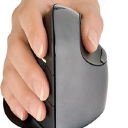
Evoluent
Vertical mice designed around a handshake grip, aimed at reducing forearm twist.
Website: evoluent.com |Brands like Evoluent
Popularity 2.3/10
-
11

Macally
Compact mice often charge over USB-C, with rechargeable batteries rather than replaceable AAs.
Top products: Wireless Bluetooth Mouse
Website: macally-europe.com |Brands like Macally
Popularity 2.1/10
-
12

iHome
iHome builds its line around speakers for iPod, iPhone and iPad, along with clock radios and portable Bluetooth speakers. The brand works in consumer audio. Its compact designs come in several sizes and colors, so buyers can choose a model...
Website: ihomeaudio.com |Brands like iHome
Popularity 1.9/10
-
13

Verbatim
Verbatim has been leading the data storage technology industry since its founding in 1969. From Floppy Disks to USB Drives, it has witnessed and participated in the evolution of technology. Even today, over 48 years later, it maintains its recognizability,...
Website: verbatim.com |Brands like Verbatim
Popularity 1.8/10
-
14

SteelSeries
Esports-oriented gaming mice with light shells and optical sensors, plus keyboards and headsets.
Website: steelseries.com |Brands like SteelSeries
Popularity 1.7/10
-
15

ELECOM
Japanese maker with a broad mouse catalogue, including trackballs and slim Bluetooth models.
Popularity 1.7/10
-
16

Adesso
Adesso's keyboards, wireless mice and desk accessories are built for comfort during long hours at a computer. The range also includes floor lamps and modern lamps. The designs aim for practicality at moderate prices across both computer accessories and lighting.
Website: adesso.com |Brands like Adesso
Popularity 1.6/10
-
17

Dell
Michael Dell founded PC’s Limited in 1984 with the intent of providing customized upgrades for computers. The initiative was successful, and Dell dropped out of college to start building computers. Soon, he started selling his designs, which were met with...
Website: dell.com |Brands like Dell
Popularity 1.6/10
-
18

Vivitar
With its rich heritage of over 80 years, Vivitar has curated some favorable consumer electronics. Their digital still cameras and other accessories are popular among large crowds across the globe. Bestselling STEAM toys that help make learning fun for kids...
Website: vivitar.com |Brands like Vivitar
Popularity 1.4/10
-
19

Rapoo
A Chinese maker of computer accessories, Rapoo sells wireless mice, silent mice, Bluetooth mice and computer keyboards. The company also offers headphones, webcams and wireless chargers. Its products are built with an emphasis on stylish designs and sturdy materials.
Website: rapoo-eu.com |Brands like Rapoo
Popularity 1.3/10
-
20

3Dconnexion
3Dconnexion provides ergonomic solutions for CAD professionals at their workplace. There are a wide range of space mouse, CAD mouse, kits, etc. Each product comes with a detailed description and exhaustive illustrations to better understand the benefits of the products....
Website: 3dconnexion.com |Brands like 3Dconnexion
Popularity 1.2/10
-
21

Acer
Acer started in 1976 in Taiwan and now sells computers, monitors and storage products in more than 160 countries. The company's range includes 8GB memory modules, SATA hard disks and hard drives, and general computer parts for upgrades and repairs.
Popularity 1.1/10
-
22

AULA
Gamers assemble! This is what AULA's products would do when the gaming enthusiasts get to know about the features and functions provided by the products. Inspired by the traits of a tarantula, the company offers a fast, sturdy and ruthless...
Website: aulagaming.com |Brands like AULA
Popularity 1.0/10
-
23

Perixx
Perixx builds computer keyboards, wireless mice and ergonomic keyboards for office and home desks. Its keyboards and mice are designed for comfortable typing and long daily use. Combined wireless keyboard and mouse sets are also available.
Website: perixx.com |Brands like Perixx
Popularity 1.0/10
-
24

Rii
The small portable keyboard-mouse combinations are made and sold by Rii. The company's products work with all widely used platforms, including Android phones, Apple iPhones, Windows PCs, smartphones, tablets, and other Bluetooth devices. You may select the customization choices that...
Website: riitek.com |Brands like Rii
Popularity 1.0/10
-
25

Delux
Delux is a manufacturer of mobile internet peripheral devices and USB-connected items with extensive R&D, production, and sales capabilities. The GM902 is an ergonomic keyboard with scissor foot construction, pleasant percussion force, quick rebound, and silent experience that is popular...
Popularity 0.9/10
-
26

Corsair
Design and upgrade your gaming rig with Corsair! They promise high-performance gear and equipment, and you will find everything you need for professional gaming and content creation. The company website allows you to customize your own PC in simple steps...
Website: corsair.com |Brands like Corsair
Popularity 0.9/10
-
27

Lenovo
From China, Lenovo sells laptops, desktop computers, tablets and monitors, along with PC parts such as AC adapters and USB 3.0 accessories. The company traces its roots to 1984, when it was founded as Legend Holdings. It later took over...
Website: lenovo.com |Brands like Lenovo
Popularity 0.9/10
-
28

Gyration
Gyration's wireless mice and keyboards use gyroscope technology, which the company calls GyroPoint, to move the cursor through motion. The Air Mouse GO Plus pairs with a compact wireless keyboard and has a long working range. Its Ultra cordless mouse...
Website: gyration.com |Brands like Gyration
Popularity 0.8/10
-
29

AZIO Corporation
Coronavirus created an unprecedented scenario globally because of which remote working became more prominent. Azio brings a modern rendition to old-school keyboards, mice, and other digital accessories that brighten up your work from home space. The company desires to bring...
Website: aziocorp.com |Brands like AZIO Corporation
Popularity 0.7/10
Official websites and social accounts
| Brand | Website | X / Twitter | YouTube | ||
|---|---|---|---|---|---|
| Logitech | logitech.com | /Logitech | logitech | @Logitech | – |
| Apple | apple.com | – | – | @AppleSupport | – |
| Microsoft | microsoft.com | /MicrosoftIndia | – | @microsoftindia | IndiaMicrosoftVideos |
| Kensington | kensington.com | /KensingtonTech | kensington_tech | @kensington | KensingtonTechnology |
| TeckNet | tecknet.com | /snstheme | – | @snstheme | Tecknet Online |
| Redragon | redragonzone.com | /redragonusa | – | @redragonusa | Redragon Official |
| Razer | razer.com | /razer | razer | @Razer | – |
| Targus | us.targus.com | /targus | targus | @targus | – |
| HP | hp.com | – | – | – | – |
| Evoluent | evoluent.com | /Evoluent | evoluent2 | @Evoluent2 | – |
Mac Mouse Buying Guide
When it comes to Mac computers, many users prefer to use a separate mouse rather than relying on the trackpad. This is because a mouse offers greater precision and control, which can be particularly useful when working with graphic design, photo editing, or gaming.
However, with so many different types of mice available on the market, it can be difficult to know which one to choose. In this article, we'll provide you with a comprehensive guide to buying a mouse for your Mac, covering the key features to look for and the best options available for different types of users.
Types of Mac Mice
Before we dive into the features to look for in a Mac mouse, it's important to understand the different types of mice that are available. Here are some of the most common types:
- Wired Mice: These are mice that connect to your Mac via a USB cable. They are generally the most affordable option, but can be less convenient as they require a cable to be plugged in.
- Wireless Mice: These mice connect to your Mac via Bluetooth or a USB receiver. They offer greater flexibility and are generally more comfortable to use, but can be more expensive.
- Ergonomic Mice: These mice are designed to be more comfortable to use, particularly for extended periods of time. They often have a contoured shape that fits the natural shape of your hand, and may have additional features such as adjustable DPI and programmable buttons.
- Gaming Mice: These mice are designed specifically for gamers, offering features such as high DPI, programmable buttons, and customizable RGB lighting. They are generally more expensive than other types of mice, but provide a superior gaming experience.
Features to Look For
When choosing a mouse for your Mac, there are several important features to consider. Here are some of the most important:
Compatibility
First and foremost, you need to ensure that the mouse you choose is compatible with your Mac. Most mice will work with any Mac that has a USB or Bluetooth connection, but it's always worth double-checking before you make your purchase.
Connectivity
As we mentioned earlier, there are two main types of connectivity for Mac mice: wired and wireless. Wireless mice are generally more convenient, as they allow you to move around more freely without being tethered to your Mac. However, they may have a slightly higher lag and may require batteries or charging. Wired mice are generally more reliable and don't require any extra power source, but can be less convenient due to the cable.
Sensitivity
The sensitivity of a mouse refers to how quickly and accurately it responds to your movements. This is usually measured in DPI (dots per inch), with higher DPI providing greater accuracy. For general use, a DPI range of 800-1600 should be sufficient, while gamers may prefer a mouse with DPI in the range of 1600-4000.
Buttons
The number of buttons on a mouse can vary widely, with some basic models having only two buttons and a scroll wheel, while others have multiple programmable buttons for customizable shortcuts. Consider what you'll be using the mouse for and choose a mouse with the appropriate number of buttons.
Ergonomics
If you'll be using your mouse for long periods of time, it's important to choose a mouse that is comfortable to use. This means choosing a mouse with a shape that fits the natural contours of your hand, and perhaps additional features such as adjustable DPI and programmable buttons.
Brand
The brand of a mouse can be an important factor to consider. Some of the most popular brands for Mac mice include Logitech, Apple, and Microsoft. Each of these brands has their own strengths and weaknesses, so it's important to do your research and read reviews before making a purchase.
Best Mac Mice
Now that we've covered the key features to look for when choosing a Mac mouse, let's take a look at some of the best options available:
Logitech MX Master 3
The Logitech MX Master 3 is a wireless mouse that is packed with features. It has a high DPI of up to 4000 and six programmable buttons, making it a great option for gamers and power users. It also has a comfortable ergonomic design and a rechargeable battery that lasts up to 70 days on a single charge.
Apple Magic Mouse 2
The Apple Magic Mouse 2 is a sleek and stylish wireless mouse that is designed specifically for Macs. It has a touch-sensitive surface that allows you to perform a variety of gestures, and it is rechargeable via a Lightning cable. While some users may find the design uncomfortable, it's a great option for those who want a mouse that matches the aesthetics of their Mac.
Microsoft Surface Precision Mouse
The Microsoft Surface Precision Mouse is a high-quality wireless mouse with a premium build quality. It has a DPI range of up to 3200, six programmable buttons, and a comfortable ergonomic design. It also has compatibility with both Mac and Windows computers, making it a great option for users who use both operating systems.
Logitech M570 Wireless Trackball Mouse
The Logitech M570 is a wireless trackball mouse that is a great option for users who want something a little different from a traditional mouse. It has a unique trackball design that allows you to move the cursor without moving the mouse itself, reducing strain on your wrist and hand. It also has a comfortable ergonomic design and a long battery life.
Conclusion
Choosing a mouse for your Mac is an important decision that should be based on your specific needs and preferences. Whether you're looking for a basic wired mouse or a high-end gaming mouse, there are plenty of great options available on the market. By considering the key features we've outlined in this guide, you'll be able to make an informed decision and choose a mouse that will help you get the most out of your Mac.


