
The 29 best ssd brands
Samsung, HP and Dell lead our ranking of 29 ssd brands. Compare what each brand makes, visit its official site, or shop it online.
Ssd brands, ranked
TSCentral is reader-supported: we may earn a commission when you shop through links on this page. It does not affect the ranking.
-
1
Samsung
V-NAND drives span budget 2.5-inch SATA units up to fast PCIe NVMe M.2 sticks, a common default for upgrades.
Top products: 860 EVO· 970 EVO Plus· 980
Website: samsung.com |Brands like Samsung
Popularity 10.0/10
-
2

HP
Enterprise-leaning drives, including U.3 NVMe units, sit alongside its own-brand replacement SSDs for HP laptops and workstations.
Website: hp.com |Brands like HP
Popularity 7.1/10
-
3

Dell
Most of its drives reach buyers pre-installed in Dell laptops and workstations, so replacements usually need matching OEM parts.
Website: dell.com |Brands like Dell
Popularity 6.9/10
-
4

Lenovo
Lenovo-branded SSDs are mostly OEM service parts for ThinkPad and ThinkStation machines, often with a Lenovo part number.
Website: lenovo.com |Brands like Lenovo
Popularity 5.8/10
-
5

HPE
HPE, short for Hewlett Packard Enterprise, builds equipment for businesses and data centers, including enterprise servers, SATA hard drives and CPUs. The company separated from Hewlett-Packard as an independent business. Its products are used for large computing workloads, and organisations running heavy data tasks can draw on the range for core infrastructure.
Website: buy.hpe.com |Brands like HPE
Popularity 5.2/10
-
6
Intel
Optane persistent-memory drives set it apart, alongside QLC 660p NVMe sticks for budget desktop upgrades.
Top products: Optane Memory SSD· DC P4618· D7-P5510
Website: intel.com |Brands like Intel
Popularity 4.5/10
-
7

Western Digital
WD's Blue and SN-series drives cover everyday desktop and laptop upgrades, with the SN730 a popular M.2 choice.
Top products: SN730· SN740· SN520
Website: westerndigital.com |Brands like Western Digital
Popularity 4.2/10
-
8
Toshiba
Toshiba's laptop-focused NVMe and 2.5-inch SATA drives are often OEM stock, with fewer retail options than bigger names.
Top products: KXG60ZNV256G
Website: toshiba.com |Brands like Toshiba
Popularity 3.7/10
-
9
Seagate
Gaming and NAS-oriented SSD lines reflect its focus on mass-capacity storage, mostly in larger capacities.
Website: seagate.com |Brands like Seagate
Popularity 3.3/10
-
10

Micron
Consumer drives sold under the Crucial badge, like the MX500 SATA and T500 NVMe, suit desktop upgrades.
Top products: 1100· 7400 PRO· 5300 Pro
Website: micron.com |Brands like Micron
Popularity 2.9/10
-
11

Kingston
Budget SATA drives and entry NVMe M.2 units cover most upgrades, with the KC600 a common higher-endurance SATA option.
Top products: NV2· KC600· A400
Website: kingston.com |Brands like Kingston
Popularity 2.5/10
-
12

ASUS
Its SSDs are mostly sold as part of ROG and motherboard bundles, with M.2 heatsink designs for gaming boards.
Website: asus.com |Brands like ASUS
Popularity 2.4/10
-
13
IBM
In this era of technological advancements, there are essential services that can not be substituted with anything else. The requirement for computers in every sector of work is increasing on a daily basis. That is why IBM is a crucial...
Website: ibm.com |Brands like IBM
Popularity 2.3/10
-
14

Crucial
Long-running SATA budget drives and a PCIe 4.0 NVMe line give it a broad spread from entry to mainstream upgrades.
Top products: P3 Plus· MX500· MX300
Website: crucial.com |Brands like Crucial
Popularity 2.2/10
-
15
SK hynix
Mostly OEM-supplied NAND drives, with its own PC801 NVMe model sold for Gen 4 desktop upgrades.
Website: product.skhynix.com |Brands like SK hynix
Popularity 2.1/10
-
16

Acer
Acer started in 1976 in Taiwan and now sells computers, monitors and storage products in more than 160 countries. The company's range includes 8GB memory modules, SATA hard disks and hard drives, and general computer parts for upgrades and repairs.
Top products: Predator GM7
Popularity 2.0/10
-
17

Apple
Stephen Wozniak had a dream of building his computer. In 1976, Wozniak partnered with his former high-school classmate, Steve Jobs, and began operations at Jobs’ family garage. Their first model was a lone working circuit board, which they worked into...
Website: apple.com |Brands like Apple
Popularity 1.6/10
-
18

Cisco
Cisco helps to bring a better future into perspective. The future of the workforce is here. The entire working community has changed since the pandemic hit the global scale. The hybrid work motion is getting increasingly popular nowadays, and Cisco...
Website: cisco.com |Brands like Cisco
Popularity 1.5/10
-
19

ADATA
ADATA Technology is a forward-thinking storage solution supplier. They are committed to offering the most dependable, more excellent, and environmentally responsible goods while maintaining the most outstanding level of customer service. For over ten years, the firm has been committed...
Popularity 1.5/10
-
20
Sony
Shortly after World War 2, Masaru Ibuka founded the Tokyo Tsushin Kogyo K.K., a telecommunications and engineering corporation. He wanted technology to contribute to Japan’s culture and future. Despite starting small, he never gave up and stressed the importance of...
Website: sony.com |Brands like Sony
Popularity 1.5/10
-
21
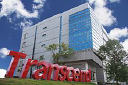
Transcend
Flash drives, USB 3.0 drives, external hard drives and hard disks are made by Transcend, a company headquartered in Taiwan. Its storage products are built with industrial-grade components for everyday data transfer and backup. The brand also produces multimedia and...
Top products: SSD370S· TS256GMSA230S
Website: transcend-info.com |Brands like Transcend
Popularity 1.5/10
-
22
Team Group
A corporation established in Tapei in 1997, Team Group Inc. is a Taiwan-based company with subsidiaries in Japan and China. The company is proud to let its consumers know of its ranking in the top 1000 companies in the world...
Top products: T-FORCE VULCAN Z
Website: teamgroupinc.com |Brands like Team Group
Popularity 1.4/10
-
23

Hitachi
Power is an entity that every individual or group of individuals wants to conquer. With power in your hands, you can change the world for good. Hitachi Group took this as an opportunity to do the same. They had the...
Website: hitachi.com |Brands like Hitachi
Popularity 1.4/10
-
24
PNY
PNY began with computer memory and now sells graphics cards, hard drives and USB flash drives for personal computers. Its storage devices include USB 3.0 drives for desktop and laptop computers. Gamers and people upgrading PC storage can use the...
Top products: CS900
Website: pny.com |Brands like PNY
Popularity 1.4/10
-
25

Netac
Netac helps the world experience digital life by offering a diverse range of innovative, application-specific devices and solutions that improve their clients' data storage experiences. It creates, manufactures, sells, and supports USB flash drives, card readers, SSDs, memory cards, USB...
Website: netac.com |Brands like Netac
Popularity 1.3/10
-
26

Lite-On
From Taiwan, Lite-On produces power supplies, AC adapters, optical CD and DVD drives, and hard disk products for computers and electronics. Its power supplies and adapters serve both industrial and consumer equipment. Its products cover both internal parts and standalone...
Website: liteon.com |Brands like Lite-On
Popularity 1.3/10
-
27

Patriot
Patriot Gaming is the leading provider of best-quality gaming accessories and peripherals. Patriot's products have a reputation for performance and dependability while presenting cheap pricing. As a best-in-class company, they are determined to provide top-quality outcomes that surpass enterprise norms....
Website: viper.patriotmemory.com |Brands like Patriot
Popularity 1.3/10
-
28

Lexar
Lexar offers a full range of memory cards, card readers, USB flash drives, and portable SSDs to let you capture, transport, and enjoy your favorite photographs and movies. From significant occasions to everyday life, their products provide outstanding quality and...
Website: lexar.com |Brands like Lexar
Popularity 1.2/10
-
29

KingSpec
Solid State Drives or SSDs help to boot the laptop quickly. KingSpec is one of the leading manufacturers of hardware equipment, especially SSDs. The company has worked with prominent tech companies like ASUS, TCL, Lenovo, etc. All the specs and...
Top products: NE-512
Website: kingspec.com |Brands like KingSpec
Popularity 1.1/10
Official websites and social accounts
| Brand | Website | X / Twitter | YouTube | ||
|---|---|---|---|---|---|
| Samsung | samsung.com | /SamsungUS | samsungmobileusa | @SamsungUS | – |
| HP | hp.com | – | – | – | – |
| Dell | dell.com | – | – | – | – |
| Lenovo | lenovo.com | /LenovoIndia | lenovo_india | @lenovo_in | LenovoVision |
| HPE | buy.hpe.com | /HPEactivewear | hpeactivewear | @HPEactivewear | – |
| Intel | intel.com | /IntelIndia | intelindia | @IntelIndia | – |
| Western Digital | westerndigital.com | /WesternDigitalCorporation | – | @westerndigital | Western Digital Corporation |
| Toshiba | toshiba.com | /ToshibaAmerica | – | @ToshibaAmerica | toshibainnovation |
| Seagate | seagate.com | /seagate | seagate | – | SeagateTechnology |
| Micron | micron.com | /MicronTechUSA | – | @microntech | MicronTechnology |
